Google Business Profile Suspension: A Local Business Guide

If your Google Business Profile is suspended, do this first: check your Google Account standing at accounts.google.com, fix any guideline violations in your profile fields, then submit an appeal through the Google Business Profile appeals tool. Do not create a new listing while an appeal is pending, and do not submit duplicate appeals.
Immediate steps:
- Go to accounts.google.com and confirm your Google Account is active and unrestricted.
- Open your Business Profile and check every field (name, address, category, website) against Google’s representation guidelines.
- Correct any violations you find before opening an appeal.
- Gather your evidence documents (business registration, license, utility bill) and have them ready as PDFs or clear photos.
- Open the appeals tool, complete the form, and upload evidence within 60 minutes of opening the evidence form.
Pro Tip: Prepare your entire evidence packet before you open the appeals tool. Once you click into the evidence upload form, the 60-minute clock starts. Files assembled in advance prevent rushed, mismatched uploads that get rejected.
Key Takeaways
A suspended Google Business Profile requires fixing the underlying violation and submitting a single, well-prepared appeal with exactly matching evidence through the official appeals tool.
| Point | Details |
|---|---|
| Check account standing first | A restricted Google Account suspends all linked profiles; fix it at accounts.google.com before appealing. |
| Fix violations before appealing | Submitting an appeal with unresolved guideline violations in name, address, or category causes automatic denial. |
| 60-minute evidence window | Once you open the evidence upload form in the appeals tool, you have 60 minutes to attach all files. |
| Appeal timeline is up to five working days | Google’s published review period is up to five working days; do not resubmit during this window. |
| Reinstatement requires a compliance audit | Run a full profile audit within 48 hours of reinstatement to prevent a repeat suspension. |
| Proxiumdigital for complex cases | Proxiumdigital provides evidence assembly, appeal drafting, and 30/60-day post-reinstatement monitoring for Michigan businesses. |
Table of Contents
- Why does Google suspend a Business Profile?
- What to confirm before you open an appeal
- What evidence strengthens an appeal?
- How to submit an appeal using the appeals tool
- How account restrictions affect all your Business Profiles
- How long does an appeal take, and how do you check the status?
- What to do when an appeal is denied
- What happens when Google removes a profile entirely?
- How to harden your profile after reinstatement
- When should you hire an agency for reinstatement?
- The part most businesses get wrong
- Proxiumdigital handles the hard part of reinstatement for you
- Sources
- FAQ
Why does Google suspend a Business Profile?
Google suspends profiles that violate its guidelines or trigger automated quality signals. Understanding the category of violation usually points directly to the fix. Search Engine Land’s analysis of common suspension triggers identifies five recurring causes practitioners see repeatedly in real-world cases.
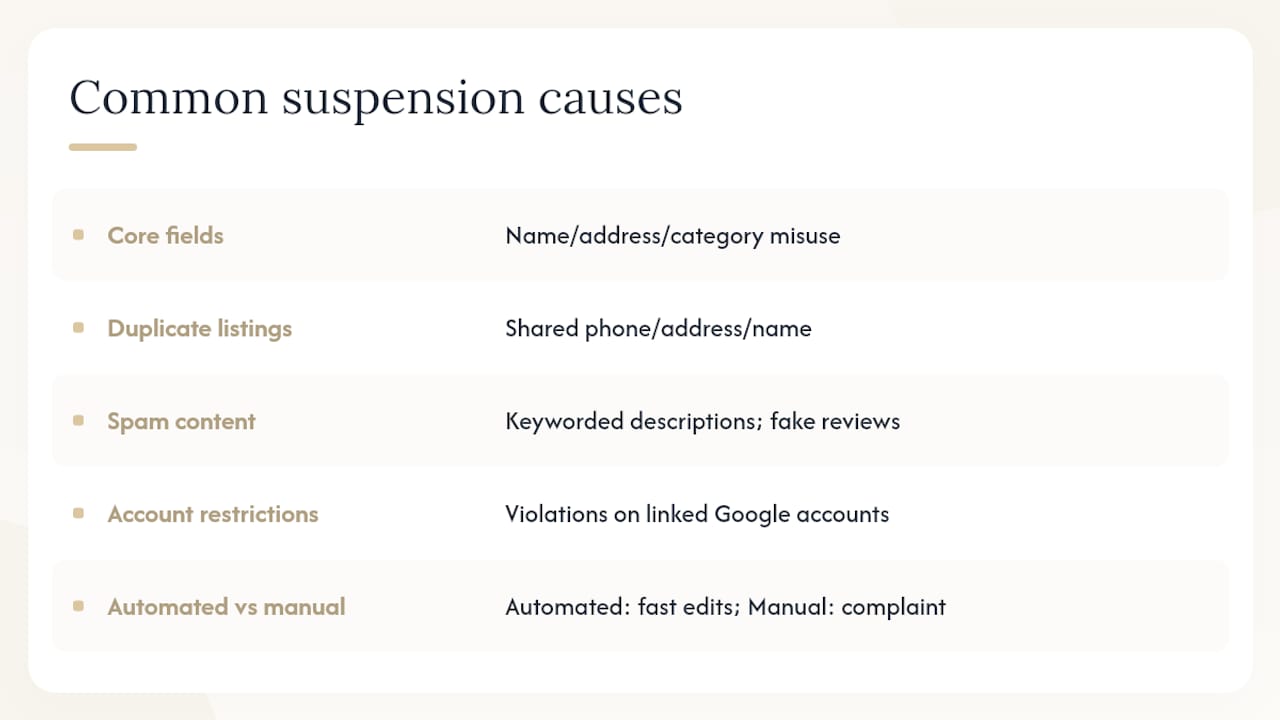
Guideline violations in core fields. The most common trigger. Adding keywords, taglines, or city names to the business name field (e.g., “Smith Plumbing Best Plumber Detroit”) violates Google’s representation guidelines, which require the name to match what appears on your storefront and official documents. Selecting an inaccurate category, listing a P.O. Box or virtual office address as a physical location, or using a service-area address that doesn’t correspond to a real staffed location all fall into this category.
Fake or duplicated listings. Google’s systems flag profiles that share a phone number, address, or business name with an existing verified listing. Agencies managing multiple client accounts sometimes trigger this accidentally when profiles are too similar.
Spammy or prohibited content. Keyword-stuffed descriptions, fake reviews, or posts that violate content policies can prompt a manual review that ends in suspension.
Account-level restrictions. If the Google Account managing the profile has been flagged for policy violations in any Google product (Gmail, Ads, Maps), all associated Business Profiles can be suspended as a consequence.
Automated vs. manual suspensions. Automated suspensions happen fast, often within hours of an edit, and typically follow a pattern: you update an address or business name, and the profile disappears. Manual suspensions tend to follow a complaint or a quality review and may come with a more specific notice. Both require the same appeals process, but manual suspensions usually need stronger documentary evidence.
What to confirm before you open an appeal
Submitting an appeal with unresolved violations is the fastest way to get it denied. Work through this checklist first.
- Google Account standing: Sign in at accounts.google.com and confirm the account is active. A disabled or restricted account must be resolved before any profile appeal will succeed, per Google’s Business Profile policies.
- Correct managing account: Confirm you are signed into the account that owns or manages the profile, not a secondary account.
- Profile status: Determine whether the profile is suspended (still exists but hidden) or removed (deleted entirely). The recovery path differs.
- Verification status: Check that the profile was verified before suspension. Unverified profiles follow a different process.
- Business name field: Remove any keywords, taglines, or location modifiers that don’t appear on your physical signage or registration documents.
- Address field: Confirm the address is a real, staffed, publicly accessible location. Virtual offices and P.O. Boxes are not eligible.
- Category selection: Use the most specific primary category that accurately describes your core service. Avoid stacking irrelevant secondary categories.
- Website URL: The URL must be live, functional, and consistent with the business name and address on the profile.
Red flags that will cause automatic rejection: an active duplicate listing at the same address, evidence documents that show a different business name than the profile, or prohibited content still present in the description or posts.
What evidence strengthens an appeal?
Tightly matching documentary evidence is the single biggest factor in appeal success. Google needs to confirm that the business is real, operates at the listed address, and trades under the listed name.
| Evidence type | What it proves | How to capture it |
|---|---|---|
| Business registration / Articles of Incorporation | Legal business name and state registration | Download PDF from your state’s business registry |
| Local business license | Operating authority at the listed address | Scan or photograph the physical license |
| Utility bill (gas, electric, water) | Business name and address match | PDF from utility provider’s online portal |
| Bank statement | Business name and address on record | Download PDF; redact account numbers |
| Signed letter on company letterhead | Business name, address, and contact details | Create on letterhead, sign, scan to PDF |
| Exterior photo of signage | Physical location matches listed address | Photograph storefront sign showing street number |
| Interior photo | Active business operations | Clear photo of workspace, equipment, or reception |
Every document must show the exact business name and address as listed on the profile, or the mismatch will undermine the appeal. If your legal name differs slightly from your trade name, include both documents and a brief explanation.
The appeals tool’s evidence form has a strict 60-minute window. Once you open the evidence upload form, you have 60 minutes to attach all files or they will not be associated with the appeal. File formats accepted are typically PDF, JPG, and PNG. Name files clearly: BusinessName_BusinessLicense.pdf, not scan001.jpg.
Pro Tip: Combine your registration document, utility bill, and a photo of your signage into a single multi-page PDF before opening the appeals tool. One clean packet is harder to dismiss than three separate uploads with inconsistent file names.
How to submit an appeal using the appeals tool
The Google Business Profile appeals tool is the official channel for contesting a suspension. Follow these steps exactly.
- Sign in to the Google Account that owns or manages the suspended profile. Using the wrong account means the profile won’t appear in the tool.
- Open the appeals tool at the link above and select the suspended profile from the list.
- Choose the decision to appeal. The tool will show the type of restriction applied. Select it.
- Complete the appeal reason field. Keep it factual and concise: state your business type, confirm the address is a real staffed location, and note any recent edits that may have triggered the suspension. Avoid emotional language. Example: “[Business Name] is a licensed [business type] operating at [address] since [year]. The profile was suspended following an address update. All information matches our state business registration and utility account.”
- Submit the appeal form.
- Immediately open the evidence upload form (if prompted) and attach your prepared files within 60 minutes.
- Confirm the submission email. Google sends a confirmation to the account’s email address. Save it with the date and time.
Do not submit a second appeal while the first is under review. Duplicate submissions do not speed up the process and can complicate the review.
A step-by-step video walkthrough is also available through the Google Business Profile Community for visual learners who want to see the tool in action.
How account restrictions affect all your Business Profiles
A suspended Google Account creates a cascading problem. Per Google’s Business Profile policies, if the account managing a profile is disabled, restricted, or deleted, every Business Profile tied to that account can be suspended simultaneously. Appealing the profile suspension before fixing the account is wasted effort.
Correct troubleshooting order:
- Visit myaccount.google.com and check for any account-level restrictions or policy flags.
- Resolve the account issue through Google’s account recovery or policy review process.
- Once the account is in good standing, return to the Business Profile appeals tool.
For agencies or multi-location managers, this creates a specific risk. If one account manages dozens of profiles and gets flagged, all of them go down at once. Best practice: distribute profile ownership across multiple verified accounts, and confirm that each profile has a designated primary owner who is not the same person managing Google Ads or other products that carry higher policy risk. Before removing a risky user account from a profile, confirm another verified owner is already listed. Removing the only owner while a suspension is active can make the profile unrecoverable.
How long does an appeal take, and how do you check the status?
Google’s official guidance states that appeal reviews can take up to five working days. That is the published ceiling, not a guarantee. Some appeals resolve in 24–48 hours; others sit at the upper limit.
To check status, return to the appeals tool using the same account you used to submit. The tool shows the current state of the review. Google also sends email updates to the managing account when the status changes, so monitor that inbox.
Practical monitoring approach: log the submission date and time, set a calendar reminder for day six, and check the tool on days two and five. Do not resubmit during this window. If day six arrives with no update, that is the appropriate moment to consider a follow-up, not day two.
What to do when an appeal is denied
A denial is not the end. It is a signal that the evidence or the profile itself didn’t meet the bar Google set for that review. Read the denial reason carefully before doing anything else.
- Identify the specific violation cited. Google’s denial notice usually references the category of problem. Match it to the checklist in Section 3.
- Collect new evidence that directly addresses the cited issue. If the denial cited address concerns, add a notarized letter from your landlord or a government-issued business license showing the address. Generic resubmissions with the same documents rarely succeed.
- Correct any remaining profile violations before submitting again.
- Wait at least a few days after a denial before requesting an additional review. Immediate resubmission signals that nothing has changed.
- Request an additional review through the appeals tool, explicitly noting what new evidence you are providing and what you corrected since the first submission.
For escalation beyond the tool, the Google Business Profile Help Community has product experts who sometimes intervene in complex cases. Frame any community post with specifics: business type, suspension type, what evidence was submitted, and what the denial said. Vague posts get vague responses.
A practical guide from Search Engine Journal outlines additional recovery checks that go beyond the official pages, including citation consistency audits that sometimes reveal the root cause of repeated denials.
What happens when Google removes a profile entirely?
A removed profile is more serious than a suspension. The listing is gone from Search and Maps, reviews become inaccessible, and you cannot claim or verify until eligibility is re-established.
Likely consequences:
- Loss of all local search visibility, including the Map Pack placement.
- Customer reviews are no longer publicly visible and cannot be responded to.
- Any content (posts, photos, Q&A) is inaccessible until reinstatement.
- Verification must be completed again from scratch if a new profile is created.
Recovery options:
- Appeal for reinstatement using the same process above, with stronger third-party corroboration (licensing directories, Chamber of Commerce listings, local news mentions that confirm the business name and address).
- Responsible recreation, only when the original profile is confirmed ineligible and no appeal is pending. Create a single new profile with fully compliant information and complete verification.
Do not create a duplicate listing while an appeal is active. Google’s systems detect duplicate profiles and will suspend the new one, potentially complicating the original appeal. Understanding how a Google penalty recovery process works can help frame the right remediation sequence here.
How to harden your profile after reinstatement
Reinstatement is the starting line, not the finish. Profiles that come back without a compliance audit tend to get suspended again.
Run through this audit within 48 hours of reinstatement:
- Business name: Matches signage and registration documents exactly. No keywords, taglines, or city names.
- Address: Physical, staffed location. Consistent with utility bills and license.
- Phone number: Local number, not a tracking number that routes to a call center.
- Primary category: Most specific accurate match. Secondary categories are accurate and relevant.
- Website URL: Live, loads correctly, and the business name on the site matches the profile.
- Hours: Accurate and updated for holidays.
- Photos: Real photos of the location, team, and work. No stock images.
Operationally, limit profile edit access to one or two trusted people. Every edit to the name, address, or category is a potential suspension trigger, so changes should go through a review step before being published. Keep copies of all verification documents in a shared folder so the next appeal, if one ever becomes necessary, takes hours rather than days.
Consistent NAP (name, address, phone) across all citations, directories, and your own website also reduces suspension risk. Inconsistency across your digital footprint sends mixed signals to Google’s quality systems and can reopen the same questions that caused the original suspension.
Pro Tip: Create a “profile compliance file” in Google Drive: store your registration document, utility bill, and a current photo of your signage. Update it annually. If a suspension hits, you open the file and go.
When should you hire an agency for reinstatement?
DIY works for straightforward suspensions with a clear cause. Three situations call for professional help.
- Repeated denials with no clear reason. If two or more appeals have been denied and the denial notices are vague, an outside audit often finds the root cause faster than continued self-review.
- Multiple profiles or accounts affected. A cascading account-level suspension across five or ten locations requires a systematic audit that is hard to run solo.
- Account-wide Google product restrictions. When the underlying issue is in Google Ads or another product, the fix requires navigating multiple policy teams simultaneously.
What a qualified agency should actually deliver: a written audit of the profile and account, an evidence packet assembled to Google’s matching standards, a drafted appeal with factual, specific language, and a 30/60-day monitoring plan after reinstatement. If an agency promises “guaranteed reinstatement,” that is a red flag. No one can guarantee Google’s decision.
When evaluating vendors, look for documented experience with Business Profile cases specifically, not just general SEO work. Ask for a sample appeal packet or a case summary. Agencies that understand how to choose the right SEO partner for local businesses will be transparent about scope and realistic about timelines.
The part most businesses get wrong
Most suspension guides focus on the appeal form itself. The form is the easy part. What actually determines whether an appeal succeeds is the 30 minutes before you open it: whether the profile is clean, whether the evidence matches exactly, and whether the Google Account managing the profile is in good standing.
The businesses that get reinstated quickly are the ones who treat the pre-appeal audit as seriously as the submission. They fix the violation first. They assemble matching documents. They do not submit the moment they notice the suspension.
The businesses that cycle through repeated denials usually share one pattern: they submit the same evidence twice, or they appeal before correcting the underlying violation. Google’s reviewers are looking for proof that the problem is resolved, not just that the business exists.
One more thing worth saying plainly: profile access is a privilege, not a right. Google can remove a listing that violates its policies regardless of how long it has been live or how many reviews it has accumulated. The fastest path back to visibility is compliance, not persistence.
Proxiumdigital handles the hard part of reinstatement for you
A suspended profile costs you real revenue every day it stays down. Proxiumdigital, a Michigan-based SEO and web design agency, works directly with local businesses and professional firms to get profiles reinstated and keep them that way.

The scope is specific: a full profile and account audit, evidence assembly matched to Google’s exact standards, a professionally drafted appeal, and a 30/60-day monitoring plan after reinstatement. Beyond the appeal itself, Proxiumdigital’s local SEO optimization services address the website and citation signals that often contribute to suspension risk in the first place, so reinstatement sticks.
If your profile is down now, the fastest next step is a conversation. Contact Proxiumdigital at Proxiumdigital to get a clear assessment of what caused the suspension and what it will take to fix it.
Sources
- Fix suspended or disabled profiles - Google Business Profile Help
- 5 reasons your Google Business Profile might get suspended - Search Engine Land
Google’s Help Center pages are the authoritative source for current appeals submission rules and timelines. Check them before submitting any appeal, as procedures can change.
FAQ
How long does a Google Business Profile suspension appeal take?
Google’s published guidance states appeal reviews take up to five working days. Many resolve sooner, but plan for the full window before following up.
Can I create a new listing while my appeal is pending?
No. Creating a duplicate listing while an appeal is active violates Google’s guidelines and can result in the new profile being suspended as well, complicating the original case.
What is the 60-minute evidence window in the appeals tool?
Once you open the evidence upload form inside the appeals tool, you have 60 minutes to attach all supporting documents. Files not submitted within that window will not be associated with the appeal.
What should I do if my appeal is denied?
Read the denial reason, collect new evidence that directly addresses the cited violation, correct any remaining profile issues, and then request an additional review through the appeals tool with a note explaining what has changed.
When does a Google Business Profile suspension require professional help?
Hire an agency when appeals are repeatedly denied, when multiple profiles or accounts are affected simultaneously, or when the underlying issue involves account-wide Google product restrictions that require navigating multiple policy processes at once.