Best Small Business CMS: Top Platforms Compared

TL;DR:
- WordPress is the best starting CMS for most small U.S. businesses due to full control, SEO flexibility, and extensive plugins.
- Choosing the right platform depends on your specific needs, team skills, and growth plans, not just initial costs.
For most U.S. small businesses, WordPress (self-hosted WordPress.org) is the strongest starting point. It gives you full content ownership, a plugin ecosystem that covers nearly every use case, and the flexibility to choose your own hosting without being locked into a vendor’s pricing model. That said, the right content management system for your business depends on what you’re actually building. An ecommerce-first brand has different needs than a local service firm or a design-led boutique.
Here’s the short version:
- WordPress (self-hosted) — Best overall for ownership, SEO control, and extensibility
- Shopify — Best for ecommerce, especially when checkout reliability is the priority
- Squarespace — Best for design-forward sites with minimal technical overhead
- Wix — Best for fast, low-friction brochure sites
- HubSpot CMS — Best when your CRM and marketing automation live in HubSpot
- Webflow — Best for marketing teams that want pixel-precise design without a developer on call
- Proxium Digital (managed service) — Best for small businesses that want SEO baked in from day one and no internal team managing updates, hosting, or performance
Selection criteria used throughout this guide: 12–18 month total cost of ownership, team technical bandwidth, ecommerce requirements, SEO control, hosting model, and realistic growth trajectory.
Table of Contents
- How do the top CMS platforms compare at a glance?
- How do you pick the right CMS for your small business?
- Which CMS is the best fit for your specific situation?
- Should your small business use a headless CMS or a traditional platform?
- What does it actually cost to launch a small business website?
- What SEO and performance features should you look for in a CMS?
- When does hiring a web design and SEO agency make sense?
- Key Takeaways
- The pattern we keep seeing with small business CMS choices
- Proxiumdigital builds and manages small business websites in Michigan
- Useful sources and further reading
- FAQ
How do the top CMS platforms compare at a glance?
The table below covers the platforms most relevant to U.S. small businesses. “Typical entry-level cost” reflects the entry-level paid tier or minimum realistic cost for a production site, not a free trial.
| Platform | Best for | Ease of use | Typical entry-level cost | Hosting & maintenance | E-commerce | Scalability | SEO & performance |
|---|---|---|---|---|---|---|---|
| Proxium Digital | Local service businesses wanting managed SEO + web | Fully managed | Custom (see pricing) | Fully managed | Available as add-on | High (agency-managed growth) | SEO-first build methodology |
| WordPress | Full control, content ownership, extensibility | Moderate | ~$10–$30/mo (hosting + domain) | Self-managed or managed host | Via WooCommerce | Very high | Full control over metadata, sitemaps, schema |
| Wix | Fast brochure sites, minimal tech overhead | Very easy | ~$17/mo | Fully hosted | Basic | Limited | Moderate (less control than self-hosted) |
| Squarespace | Design-forward small businesses | Easy | ~$23/mo | Fully hosted | Built-in (Commerce plans) | Moderate | Good built-in defaults |
| Shopify | Ecommerce-first SMBs | Easy to moderate | ~$39/mo | Fully hosted | Best-in-class | High for commerce | Strong for product pages |
| Webflow | Marketing teams needing design control | Moderate (visual) | ~$23/mo | Fully hosted | Limited | Moderate | Clean code, good Core Web Vitals |
| Sanity | Developer teams, flexible APIs, structured content | Developer-heavy | Free tier; paid from ~$17/mo | Self-hosted or cloud | Via custom build | High | Full API control |
| Strapi | Self-hosted headless, cost-conscious teams | Developer-heavy | Free (self-hosted) | Self-managed | Via custom build | High | Full control |
| Storyblok | Marketing teams needing visual + headless delivery | Moderate | Free tier; paid from ~$99/mo | Hosted | Via integrations | High | Strong with proper setup |
| Decap CMS | Static Jamstack sites, developer-run | Developer | Free (open-source) | Self-managed (static) | Not native | Moderate | Excellent (static output) |
| Nuxt Content | Vue/Nuxt developer teams | Developer | Free (open-source) | Self-managed | Not native | Moderate | Excellent (static/SSR) |
| BigCommerce | Growing ecommerce brands, enterprise features | Moderate | ~$39/mo | Fully hosted | Enterprise-grade | Very high | Strong |
| HubSpot CMS | HubSpot CRM users, marketing-to-sales workflows | Easy to moderate | ~$23/mo (Starter) | Fully hosted | Via HubSpot Commerce | High | Built-in SEO tools |
| Drupal | Complex content models, enterprise needs | Developer-heavy | Free (self-hosted) | Self-managed | Via modules | Very high | Full control |
| Joomla | Mid-complexity sites, traditional CMS structure | Moderate | Free (self-hosted) | Self-managed | Via extensions | Moderate | Moderate |
| Brightspot | Content-heavy brands scaling editorial operations | Moderate to complex | Custom pricing | Managed or self-hosted | Commerce integrations | Very high | Strong editorial + SEO tooling |
How to read this table: “Ease of use” reflects the skill level required to manage the CMS day-to-day, not just to set it up. “Typical entry-level cost” excludes custom themes, plugins, and developer time, which can add significantly to total cost.
How do you pick the right CMS for your small business?
Choose based on your business goals and your team’s actual capacity, not on which platform has the best marketing. The single most common mistake small business owners make is selecting a CMS that’s easy to launch on but painful to grow with.
Work through this checklist before you commit:
- Budget and 12–18 month TCO. Add up platform fees, hosting, plugins or extensions, developer time, and ongoing maintenance. A “free” self-hosted CMS can cost more than a $39/mo SaaS platform once you factor in a developer’s hourly rate.
- Team technical bandwidth. If no one on your team has web development experience, a self-hosted open-source CMS will create a maintenance burden. Hosted platforms handle updates and security patches automatically.
- Content model complexity. A five-page service site has different needs than a blog with 500 posts, a product catalog, or a multi-location directory. Match the CMS’s content architecture to what you’ll actually publish.
- Ecommerce requirements. If selling online is core to your business, start with a commerce-first platform. Bolting ecommerce onto a CMS that wasn’t built for it creates friction at checkout, the worst place to lose a customer.
- Marketing stack integrations. List the tools you already use: email platform, CRM, analytics, booking software. Check native integrations before assuming a plugin will cover it.
- Governance and roles. If multiple people will edit the site, check whether the CMS supports user roles, editorial workflows, and content approval. Some platforms handle this natively; others require add-ons.
- Expected traffic growth. A platform that handles 500 monthly visitors comfortably may struggle at 50,000. Ask vendors about traffic limits and caching options before you sign.
Decision flow:
- Assess your primary goal (content publishing, ecommerce, lead generation, or brand presence).
- Map that goal to a CMS archetype: hosted builder, self-hosted open-source, SaaS CMS, or managed agency build.
- Shortlist two or three platforms that fit your budget and team skills.
- Run a small pilot: build one page or import a content sample before committing.
Pro Tip: Plan your budget across 12–18 months, not just the launch month. Headless SaaS vendors in particular use seat, locale, and API-request quotas that produce non-linear pricing as your team and content volume grow.
Pro Tip: Separate content ownership from hosting. You can self-host WordPress on a managed host like WP Engine or Kinsta and get the best of both worlds: full content control without the server administration headache.
Pro Tip: If organic search is a meaningful revenue channel, prioritize platforms that give you direct control over metadata, URL structure, XML sitemaps, and redirects. Losing that control is one of the harder things to fix after launch.
Two mistakes worth calling out explicitly. First, choosing a platform purely on launch cost ignores the migration expense you’ll face when you outgrow it. Second, confusing a site builder’s ease of use with long-term content governance: Wix is genuinely easy to launch on, but its content model doesn’t scale the way WordPress or a structured CMS does.
Which CMS is the best fit for your specific situation?
Match your checklist from the previous section to the platform profiles below. Each entry covers what the platform actually does well, where it falls short, and what it typically costs in production.

Proxium Digital (managed service)
Proxium Digital’s web design and development service is not a self-serve CMS. It’s a Michigan-based agency that builds custom websites with SEO integrated from the start, then manages hosting, updates, security, and performance reporting on an ongoing basis. For local service businesses, professional firms, and growing brands that don’t want to think about plugin updates or Core Web Vitals audits, this is the managed route.
The core differentiator: SEO isn’t an afterthought added after the site goes live. It’s part of the build methodology, which means faster organic traction and fewer technical debt problems down the road. Pricing is custom and transparent; see the Proxium Digital pricing page for current ranges.
Best for: Small service businesses that want a managed, SEO-first site without an internal web team.
WordPress (self-hosted WordPress.org)
WordPress powers a large share of the web for good reason. The plugin ecosystem covers everything from ecommerce (WooCommerce) to membership sites, booking systems, and advanced SEO tooling (Yoast SEO, Rank Math). You own your content and your data, and you can move hosts without losing anything.
The trade-off is maintenance. You’re responsible for updates, security patches, and performance optimization unless you pay for a managed WordPress host. Expect to spend a moderate monthly amount on hosting and a domain, plus additional plugin costs for feature-rich sites.
Pros: Full ownership, massive plugin library, flexible hosting, strong SEO control. Cons: Requires ongoing maintenance; plugin conflicts are a real operational risk.
Wix
Wix is the fastest path from zero to a live website for a non-technical owner. The drag-and-drop editor is genuinely intuitive, hosting is included, and you don’t need to touch a line of code. Plans start around $17/mo.
The ceiling is real, though. Site builders like Wix are appropriate for brochure-style sites and quick launches but have limits on structured content and complex integrations. If you expect to add a blog with hundreds of posts, a product catalog, or custom API integrations, you’ll hit those limits sooner than you’d like.
Squarespace
Squarespace’s templates are genuinely better-looking than most competitors’ out of the box. For a design-centric small business, a photographer, a boutique, or a creative agency, that matters. Plans start around $23/mo and include hosting, SSL, and a reasonable set of built-in marketing tools.
SEO defaults are solid, but you have less granular control than you’d get with WordPress. The content model is also relatively flat, which is fine for most small businesses but limiting if you need complex content relationships.
Shopify
When ecommerce is the primary job, Shopify is the strongest option for most small businesses. Shopify provides integrated product and checkout features that reduce engineering reliance, and its payment processing, inventory management, and shipping integrations are mature. Plans start with a monthly subscription fee.
The content side is weaker. Shopify’s blogging and page-building tools are functional but not as flexible as WordPress. If you’re running a content-heavy brand alongside your store, that gap shows.
Webflow
Webflow sits between a visual site builder and a professional front-end development tool. Designers love it because the output is clean, production-ready HTML/CSS with strong Core Web Vitals performance. Marketing teams can make layout changes without filing a developer ticket. Plans start with an affordable monthly subscription.
The learning curve is steeper than Wix or Squarespace. It’s not a tool for someone who has never thought about CSS. But for a marketing-driven brand that wants pixel-precise design and doesn’t want to depend on a developer for every update, it’s a strong fit.
Sanity
Sanity is a developer-first headless CMS with a flexible schema-as-code approach. The free tier is genuinely production-viable for early teams. The catch: isolated staging datasets and add-ons can significantly increase costs as usage grows. Model your 12–18 month usage before committing to the free tier as a long-term plan.
Best for: Tech-savvy teams that need flexible APIs and structured content at scale.
Strapi
Strapi is open-source and self-hostable, which means your software licensing cost is essentially zero. What you pay instead is infrastructure and developer time. Self-hosted projects shift costs from platform subscription to infrastructure and developer time, so Strapi makes sense when you have engineering capacity and want a predictable infrastructure-driven cost curve rather than per-seat platform fees.
Storyblok
Storyblok’s visual editor is its clearest differentiator among headless options. Marketing teams can edit content in a live preview without touching the API layer, which reduces the developer bottleneck that plagues most headless setups. Storyblok is recommended when marketing teams need visual editors and rapid iteration without heavy developer involvement. Paid plans start at a significant monthly fee.
Decap CMS
Decap CMS is a Git-based content editor for static sites. Content lives in your repository, which means no database, no server runtime, and very low hosting costs. It’s the right tool for developer-run Jamstack sites where content editors need a UI without the overhead of a full CMS backend. Not a fit for non-technical teams or sites with complex content relationships.
Nuxt Content
Nuxt Content is a content module for Nuxt.js, not a standalone CMS. It lets developers manage Markdown and JSON content in a Git-driven workflow and outputs fast static or server-rendered pages. If your team is already building with Vue and Nuxt, it’s a natural fit. If they’re not, it’s not worth the learning curve.
BigCommerce
BigCommerce targets growing ecommerce brands that need enterprise-grade commerce features without building a custom platform. Multi-currency, advanced promotions, and headless commerce support are all native. Plans start at a modest monthly fee. It’s a stronger fit than Shopify for brands with complex catalog or B2B requirements; for a straightforward direct-to-consumer store, Shopify’s ecosystem is larger.
HubSpot CMS
HubSpot CMS makes the most sense when your business already runs on HubSpot’s CRM. Content, contacts, forms, and marketing automation all live in one platform, which eliminates the integration layer that trips up most small businesses. Starter plans begin with a modest monthly subscription. Outside the HubSpot ecosystem, the value proposition weakens considerably.
Drupal
Drupal is powerful and genuinely enterprise-capable, with granular permissions, advanced content modeling, and a strong security track record. It’s also the most technically demanding option on this list. For most small businesses, the engineering investment required to build and maintain a Drupal site outweighs the benefits. It belongs on the shortlist for organizations with complex content models and a developer on staff.
Joomla
Joomla sits between WordPress and Drupal in complexity. It has a mature extension ecosystem and a traditional CMS architecture that some teams find easier to reason about than WordPress’s plugin model. That said, its community and ecosystem are smaller than WordPress’s, and it’s harder to find developers and themes. A reasonable choice for teams that have used it before; not the obvious first pick for a new small business site.
Brightspot
Brightspot is built around structured content models and editorial workflows, with commerce integrations for brands planning to scale. Platforms that support structured content and editorial workflows reduce long-term technical debt when content volume and teams grow. Pricing is custom. It’s a strong fit for content-heavy small businesses with editorial teams and growth ambitions; overkill for a five-page service site.
Should your small business use a headless CMS or a traditional platform?
Most small businesses don’t need a headless CMS. That’s the honest answer. Headless architecture, where the content backend is decoupled from the front-end presentation layer, adds engineering complexity and cost that only pays off in specific situations.
You likely benefit from headless if:
- You’re delivering content to multiple channels simultaneously (website, mobile app, digital signage, third-party platforms)
- You have a developer team that can build and maintain a custom front end
- You need complex integrations with external APIs or commerce systems
- You’re operating across multiple locales or brands from a single content repository
Stick with a traditional or hosted platform if:
- You’re building a single website for a local service business or simple ecommerce store
- Your team has no web development experience
- You need to launch in weeks, not months
- Your content model is straightforward (pages, blog posts, products)
Three quick scenarios to make this concrete:
A local HVAC company needs a fast, credible website with service pages, a contact form, and a blog. WordPress or a managed agency build like Proxium Digital is the right call. Headless adds zero value here and significant cost.
An ecommerce brand selling across its own site and a mobile app needs consistent product data in both places. A headless commerce setup with BigCommerce or Shopify’s headless API starts to make sense, though Shopify’s standard setup handles most small ecommerce needs without going headless.
A design-led boutique wants a visually distinctive site that a marketing manager can update without developer help. Webflow or Squarespace covers this without the headless overhead.
Marketing-led teams favor visual editors like Storyblok, while technical teams benefit most from headless flexibility with Sanity or Strapi. The key question isn’t “is headless better?” It’s “does my team have the engineering bandwidth to build and maintain a custom front end?”
What does it actually cost to launch a small business website?
The range is wide, and the honest answer is that your CMS choice is only one variable. Here’s a practical mapping by archetype:
DIY site builders (Wix, Squarespace): Launch in days to a few weeks. Annual cost typically $200–$500/yr for the platform, plus a domain. Design is template-based; customization is limited. Best for getting something live quickly with minimal budget.
SaaS CMS with templates (Shopify, HubSpot CMS, Webflow): Launch in two to six weeks depending on content volume. Monthly cost varies depending on plan and additional app or plugin fees. Expect to spend additional budget on a designer or developer if you want something beyond the default template.

Managed agency build (Proxium Digital): Launch in four to eight weeks for a custom site with SEO integrated from day one. Ongoing monthly retainer covers hosting, maintenance, updates, and performance reporting. This model trades a higher monthly cost for zero internal maintenance burden and faster organic traction.
Self-hosted open-source (WordPress, Strapi, Drupal): Launch timeline varies from two weeks (simple WordPress with a theme) to six-plus months (custom Drupal or headless Strapi build). Software licensing is low or free, but hosting, developer time, and ongoing maintenance add up. A realistic budget for a custom WordPress build with a developer is $3,000–$10,000+ upfront, plus $50–$200/mo for managed hosting.
Headless/custom stack (Sanity + Next.js, Strapi + custom front end): Budget $5,000–$20,000+ for the initial build and $100–$500/mo for infrastructure, depending on traffic and team size. Factor in Sanity’s add-on pricing if you need isolated staging environments.
Launch timeline (typical steps):
- Discovery and planning (1–2 weeks): Define goals, sitemap, content requirements, and integrations.
- Design (1–3 weeks): Wireframes, visual design, and client review.
- Build (2–6 weeks): CMS setup, template or custom development, content entry.
- QA and testing (1 week): Cross-browser, mobile, performance, and form testing.
- Launch (1–3 days): DNS changes, SSL verification, final checks.
Migration costs deserve a separate mention. Moving an existing site to a new CMS is almost always more expensive and time-consuming than owners expect. Poorly planned migrations break URL structures, which destroys organic rankings built over years. The mitigation is straightforward: audit your existing URLs before migrating, set up 301 redirects for every changed URL, test on a staging environment before going live, and monitor Search Console for crawl errors in the weeks after launch.
What SEO and performance features should you look for in a CMS?
Ownership and technical control are what drive long-term SEO results. A CMS that locks you out of metadata, URL structure, or redirect management will cost you organic traffic, and that’s a hard problem to fix after the fact.
Practical SEO checklist for evaluating any CMS:
- Metadata control: Can you set custom title tags and meta descriptions per page?
- URL structure: Can you define clean, keyword-relevant URLs without platform-imposed slugs?
- XML sitemaps: Does the CMS generate and update sitemaps automatically?
- Canonical tags: Can you set canonical URLs to prevent duplicate content issues?
- Structured data: Does the platform support schema markup natively or via plugin?
- Image optimization: Does the CMS compress and serve images in modern formats (WebP)?
- Caching and CDN: Is a CDN included or easily configured?
- Redirects management: Can you manage 301 redirects without touching server config files?
- Staging environment: Can you preview changes before they go live?
WordPress with a plugin like Yoast SEO or Rank Math gives you full control over all of these. Squarespace and Wix handle most of them automatically but with less granular control. Headless setups give you maximum control but require a developer to implement correctly.
Pro Tip: Page speed is a ranking factor. Before choosing a CMS, run a competitor’s site through Google PageSpeed Insights and ask your vendor or developer how the platform handles Core Web Vitals. Template-heavy builders sometimes ship with bloated JavaScript that’s hard to trim.
Security and compliance basics for U.S. small businesses: Keep your CMS and plugins updated. Vet every plugin or extension before installing it; a poorly maintained plugin is the most common attack vector on WordPress sites. Use SSL (every major platform includes it). Run automated backups at least daily. For businesses handling payment data or health information, choose a managed hosting provider with documented security SLAs rather than a shared hosting plan.
When does hiring a web design and SEO agency make sense?
Hire an agency when the cost of getting it wrong exceeds the cost of the retainer. That’s the practical threshold.
Specifically, an agency is the right call when:
- You have no internal web development or SEO expertise and can’t afford to build it
- You need the site to generate leads or revenue quickly, and organic search is part of that plan
- You’re migrating from an existing site and can’t afford to lose your current rankings
- You want ongoing performance reporting and continuous optimization, not a site that goes stale after launch
- You’re a local service business where appearing in local search results directly drives phone calls and bookings
What a good agency handles from day one:
- Technical SEO integrated into the build (site structure, schema, page speed, crawlability)
- Secure, managed hosting with regular backups and updates
- Content governance: URL structure, metadata standards, image optimization
- Monthly performance reporting with clear metrics tied to business goals
- Ongoing optimization as search algorithms and your business evolve
Questions to ask any agency before signing:
- How do you integrate SEO into the build process, not just after launch?
- What does your hosting and maintenance plan include?
- How do you handle site migrations and redirect management?
- What does monthly reporting look like, and which metrics do you track?
- Can you show examples of organic traffic growth for clients in similar industries?
Proxiumdigital’s approach addresses the fragmentation problem that trips up most small businesses: web design and SEO handled by separate vendors who don’t coordinate. The integrated workflow means the site is built for search performance from the first line of code, not retrofitted after the fact. For Michigan-based local service businesses, professional firms, and growing brands, that coordination is the practical advantage. Learn more about Proxium’s SEO optimization services or the full solutions overview.
Key Takeaways
WordPress is the strongest starting point for most U.S. small businesses that want content ownership, SEO control, and long-term flexibility, but the right CMS ultimately maps to your team’s skills, budget, and growth goals.
| Point | Details |
|---|---|
| WordPress leads for most use cases | Full ownership, SEO control, and a large plugin ecosystem make it the default recommendation for small businesses. |
| Ecommerce needs a commerce-first platform | Shopify or BigCommerce outperform general-purpose CMSs when checkout reliability and product management are the priority. |
| Headless adds cost and complexity | Most small businesses don’t need headless; it pays off only with multi-channel delivery, developer teams, or complex integrations. |
| Plan 12–18 months of total cost | Headless SaaS pricing can scale non-linearly with seats and locales; model realistic usage before committing to an entry tier. |
| Proxiumdigital for managed SEO builds | For local service businesses that want SEO integrated from day one and zero internal maintenance burden, Proxiumdigital is the managed alternative to DIY. |
The pattern we keep seeing with small business CMS choices
The most consistent pattern across small businesses making CMS decisions is this: they optimize for the launch, not the year after launch. A platform that takes two hours to set up feels like a win until the business needs a third-party booking integration, a structured content model for a growing blog, or a migration to a faster host. By then, the switching cost is real.
The businesses that make the best long-term decisions treat the CMS choice as an infrastructure decision, not a design decision. They ask what the site needs to do in 18 months, not just today. And when they don’t have the internal expertise to answer that question confidently, the ones who hire an agency early tend to spend less overall than the ones who DIY first and migrate later.
Proxiumdigital builds and manages small business websites in Michigan
If you’d rather have a local agency handle your website and SEO, here’s what Proxiumdigital does: custom website design and development, technical SEO from day one, managed hosting and maintenance, local search optimization, and monthly performance reporting. No fragmented vendors, no retrofitted SEO.
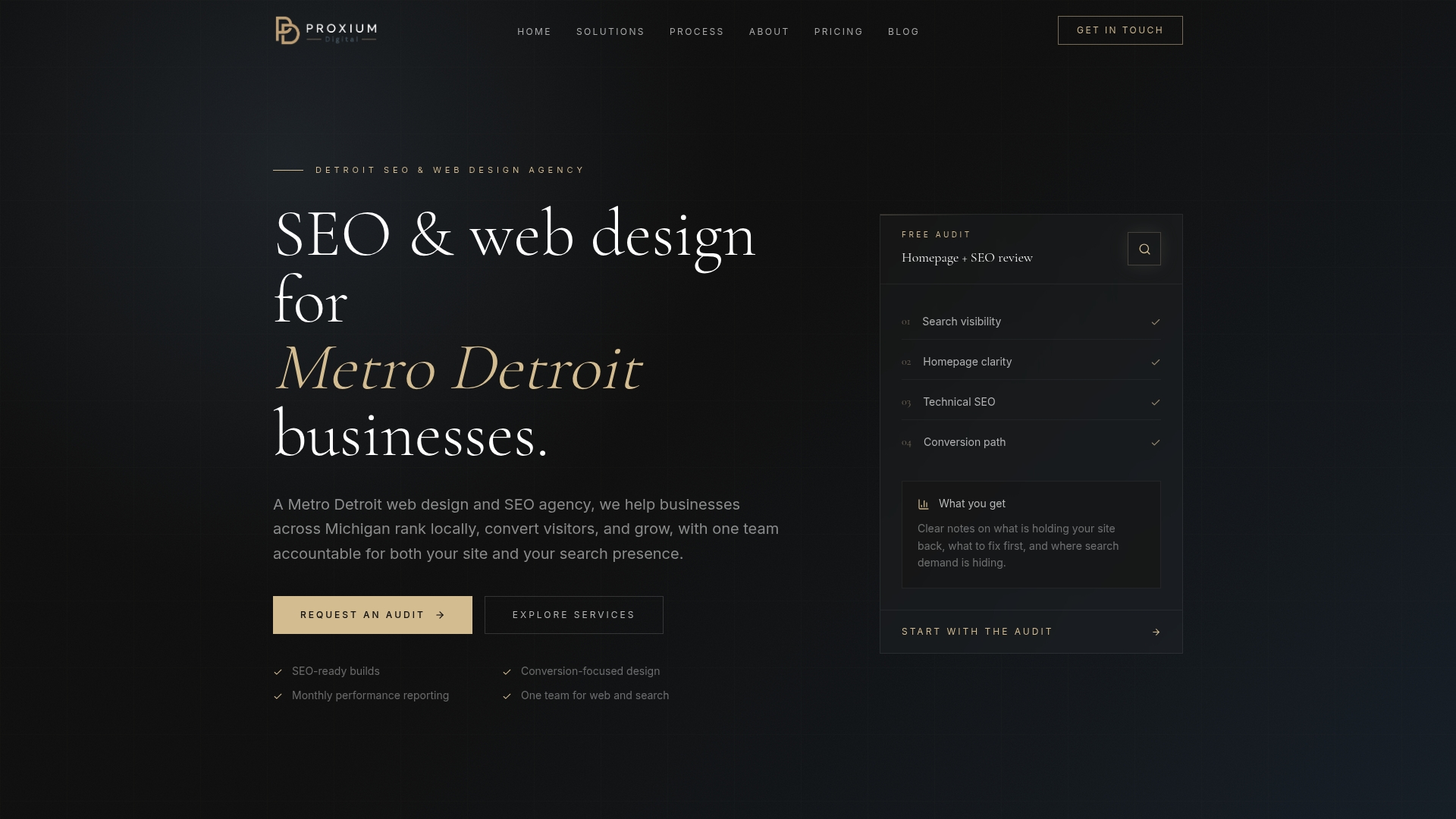
The practical difference for a local service business: your site is built to rank, not just to look good, and someone is actively managing it so you’re not fielding calls about a broken contact form or a slow page load. Explore Proxiumdigital’s full service offerings or review website management plans to see what ongoing support looks like. The next step is a discovery call where we scope your project, outline a realistic timeline, and give you a transparent proposal.
Useful sources and further reading
- WordPress.org — The official home of self-hosted WordPress; useful for understanding core features, hosting requirements, and the plugin ecosystem.
- Decap CMS — Official documentation for the Git-based CMS; useful for teams evaluating Jamstack and static-site content workflows.
- Drupal.org — Drupal’s official developer documentation; useful for understanding theming, content modeling, and enterprise CMS architecture.
- Brightspot: Best CMS for Small Businesses — Practical comparison of CMS platforms for small businesses with a focus on growth, ecommerce, and editorial workflows.
- Prismic: Best Headless CMS for Startups — Covers how to match CMS type to team bandwidth, with specific recommendations for marketing-led versus developer-led teams.
FAQ
Which CMS is best for most small businesses?
WordPress (self-hosted WordPress.org) is the strongest choice for most small businesses because it offers full content ownership, a large plugin ecosystem, and strong SEO control at a low entry cost of roughly $10–$30/mo for hosting and a domain.
What are the top five CMS platforms for small businesses?
WordPress, Shopify, Squarespace, Wix, and HubSpot CMS cover the most common small business use cases: content publishing, ecommerce, design-forward branding, fast launches, and CRM-integrated marketing, respectively.
Which CMS is the easiest to use for non-technical owners?
Wix and Squarespace are the easiest for non-technical users, with fully hosted environments and drag-and-drop editors that require no coding. Squarespace edges ahead on design quality; Wix is slightly faster to get a first page live.
What is the fastest-growing CMS category right now?
Headless CMS platforms, including Sanity, Storyblok, and Strapi, are the fastest-growing category, driven by demand for multi-channel content delivery and API-first architectures. That said, traditional hosted platforms still account for the majority of small business sites.
When should a small business hire an agency instead of using a DIY CMS?
Hire an agency when organic search is a meaningful revenue channel, when you’re migrating an existing site and can’t afford to lose rankings, or when your team has no internal web development capacity. Proxiumdigital handles the full build, SEO integration, and ongoing management for Michigan-based businesses that want a managed approach.